
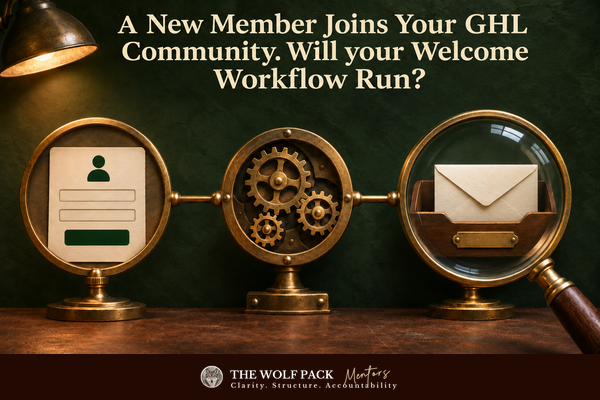
A New Member Joins Your GHL Community. Will your Welcome Workflow Run?
A new member joins your GHL Community. They need to know where to begin, how to find what you promised, and what happens next.
If you run nearly every part of your business yourself, you don't want that first welcome to depend on whether you remember to send it after a busy day.
Your community sits behind HighLevel's Client Portal. Think of the portal as the doorway where they log in to the community.
HighLevel's new User Signup workflow trigger for the Client Portal can start a workflow when that registration succeeds. You can use it to send a welcome and help the new member take a first step inside your community.
he release describes a new portal signup, not every time an existing portal user joins or returns to a community. Don't assume the workflow fires for every membership change. Test the path your member actually takes before you rely on it.
Give Your New Member a Useful First Step
A welcome series doesn't need to become a long sequence. A new community member may simply need the community link, a short explanation of where to introduce themselves or find the first resource, and a clear way to get help if access fails. Choose what your member needs first. Then write one message that answers that need without making them search through several emails.
HighLevel supplies the trigger, not the judgment about what to say.
You still choose the message, build the workflow, and check its timing.
If your current community access route doesn't create a new Client Portal registration, this particular trigger may not cover that route. You can set this update aside until you confirm how someone enters your community.
Check What Ran and What Arrived
HighLevel also changed the tools you can use when a follow-up doesn't appear. New enrollment and execution views let you inspect workflow activity from contacts, tasks, and opportunities. Its execution logs now cover 60 days instead of 30, and users with export permission can download execution logs as a CSV file. HighLevel says that export contains IDs rather than personal information, and it doesn't include enrollment data.
Those records can help you see whether your test signup entered the workflow and which steps ran. They don't prove that a welcome email reached an inbox or that a member read it.
Follow one disposable signup from the registration page into the workflow record, then check the actual message in a test inbox. If the record says a step ran but nothing arrived, investigate that gap before real members depend on the message.
Another release lets a workflow send an internal notification without a linked contact. That could help you notice a task with no specific customer attached, though it doesn't change the community signup trigger. An Assigned User Email or SMS recipient still needs a contact and assigned user, and contact-specific fields may stay blank without one. Test any contact-free alert with harmless data before you use it for a live process.
Keep the First Test Small
You don't need to rebuild your community onboarding today. Start with one new test account. Register through the Client Portal as a member would, check whether the welcome workflow starts, and read the message that reaches the test inbox. That small test tells you more than assuming a green workflow step means your member received a useful welcome.
Other Updates from November 20
Share Meeting Room recordings with flexible access controls: You can set replay-link access, expiration, and passcodes; use a harmless recording to test privacy choices before sharing a member session.
Meeting Room alerts: Hear the moments that matter!: New meeting sounds may help you manage a live session, but they don't change community onboarding.
🔁 Introducing Routines in Managed Agents – Automate Recurring Tasks!: A published Managed Agent can run a scheduled routine; usage charges and unattended permissions make a read-only test the sensible start.
📅 Rental Booking is Now Available in the Client Portal: This matters if you use Rentals with the new portal interface; otherwise you can safely set it aside.
Launch ChatGPT Ads by OpenAI from HighLevel Ad Manager: HighLevel says you can connect an eligible OpenAI Ads account, but budget, eligibility, ad review, and customer-data choices still matter before you spend.
Test one new community member's route through the portal and into your welcome workflow. Read the message in a test inbox before you use that path with customers.
You don't need to do more. You just need to stop doing it all alone.
Bring the real problem into the room. We will help you see what deserves your attention first. Schedule your 75-minute Wolf Pack Solution Session with Deana Brown Mitchell and Christopher di Armani today.


